 Televisor LED COB todo en uno
 Pantallas LED flexibles
 Pantallas LED transparentes
 Cartel llevado
 Pantallas LED circulares
 Pantallas LED de columna
 Pantallas LED creativas y personalizadas
Sala de conferencias
pantallas LED
Make the presentation work for the whole room. Find the screen format, size and resolution for the way your team meets.

What happens in your meetings?
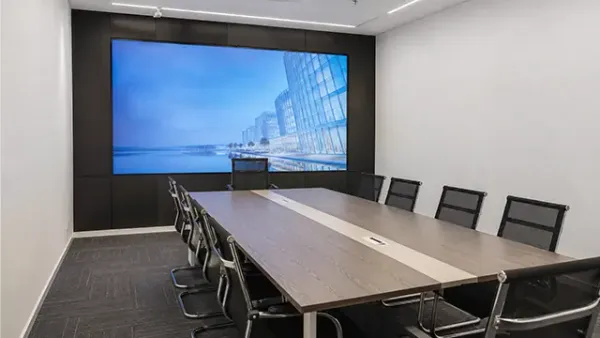

Start with the way your team presents.
An All-in-One display is a useful starting point when a standard size suits the wall. Compare a modular wall when you need a different canvas or a specific room layout.
A sample slide and a simple seating sketch are more useful than a diagonal size alone.
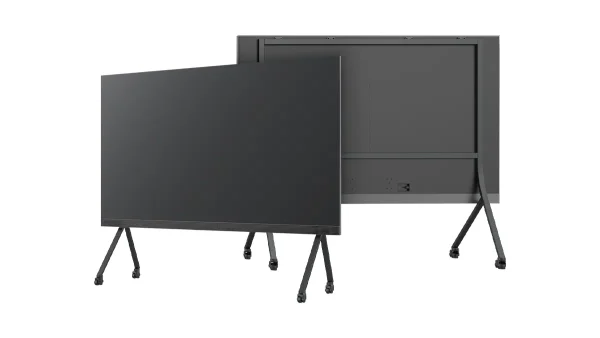
Televisor LED todo en uno
Compare 108, 135 and 163-inch configurations when a standard display format fits your room. Check the resolution for the selected size and pitch.
Explore All-in-One LED TV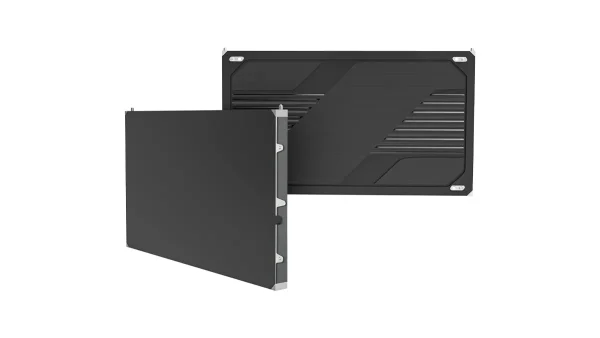
COB Pro
Build the display from 600 × 337.5 mm cabinets when the wall size or content layout calls for a modular design. Review the pixel map and installation together.
Explorar COB ProKeep the small details in the discussion.
Choose the screen area and total pixel count around the information people need to read. Compare a higher-resolution All-in-One configuration with a modular fine-pitch wall.
Share a real spreadsheet, drawing or split-screen layout, plus the nearest and farthest seats.
COB Pro
Build the display from 600 × 337.5 mm cabinets when the wall size or content layout calls for a modular design. Review the pixel map and installation together.
Explorar COB Pro
Televisor LED todo en uno
Compare 108, 135 and 163-inch configurations when a standard display format fits your room. Check the resolution for the selected size and pitch.
Explore All-in-One LED TVPlan for the room’s different uses.
A modular wall lets you review a cabinet layout around the available wall area. An All-in-One remains a candidate when its size works for the seating plan and the content.
Mark the farthest seat, presenter position, screen height and any room partitions.
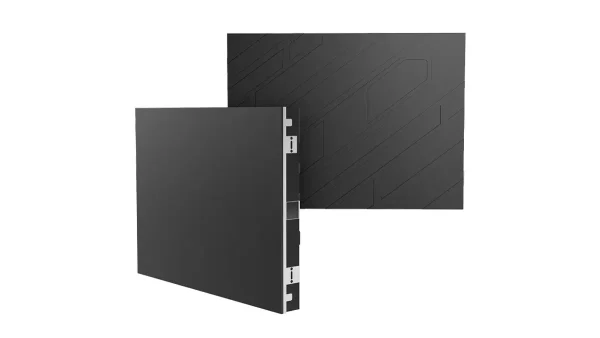
COB Beta
Compare a 640 × 480 mm cabinet layout for an indoor meeting or training wall. Check the resulting screen dimensions and resolution against the seating and content.
Explorar COB Beta
Televisor LED todo en uno
Compare 108, 135 and 163-inch configurations when a standard display format fits your room. Check the resolution for the selected size and pitch.
Explore All-in-One LED TVLED, LCD or projection?
| Tecnología | Mejor ajuste | Plan para |
|---|---|---|
| LED de visión directa | A large, continuous image across a modular wall. | Match pixel pitch and total resolution to text size and seating. Include the frame, processing and service access in the budget. |
| pantalla LCD | A standard-size screen for close-view documents and everyday meetings. | Check text size from the back row and reflections under room lighting. Tiled LCD walls introduce bezel lines; compare the complete installed cost. |
| Proyección | A large image in a room with controllable light. | Match projector output and screen to the room lighting. Allow for lens throw, a clear light path and maintenance access. |
Two ways to build an LED display.
| Decisión de planificación | Televisor LED todo en uno | Modular fine-pitch wall |
|---|---|---|
| El mejor punto de partida | A standard display format for presentations and meetings. | A screen layout planned around the wall and content. |
| Dimensiones | Compare 108, 135 and 163-inch configurations. | Screen dimensions follow the selected cabinet grid. |
| Resolución | Check the size and pixel-pitch combination. | Check cabinet pixels multiplied by the proposed grid. |
| Instalación | Wall mounting; optional floor stand according to configuration. | Project-specific frame, wiring and service-access plan. |
| AV connection | Confirm the source output and selected display inputs. | Specify the processor and signal path with the display. |
| Ruta del producto | Televisor LED todo en uno | COB Pro / COB Beta, selected for the room |
| Ejemplo de configuración | Display area, excluding enclosure (W × H) | Resolucion nativa |
|---|---|---|
| All-in-One 108″ P1.25 | 2400 × 1350 mm | 1920 × 1080 píxeles |
| All-in-One 135″ P1.25 | 3000 × 1687.5 mm | 2400 × 1350 píxeles |
| All-in-One 163″ P0.93 | 3600 × 2025 mm | 3840 × 2160 píxeles |
Look at the equipment behind the meeting.

Review the complete display
This product demonstration shows an All-in-One display on a floor stand. Review wall mounting or the optional stand against your room layout.
Explore All-in-One
Build up the required canvas
COB Pro uses 600 × 337.5 mm cabinets. The cabinet grid determines the display area, while the selected pitch determines the total pixels.
Explore COB Pro
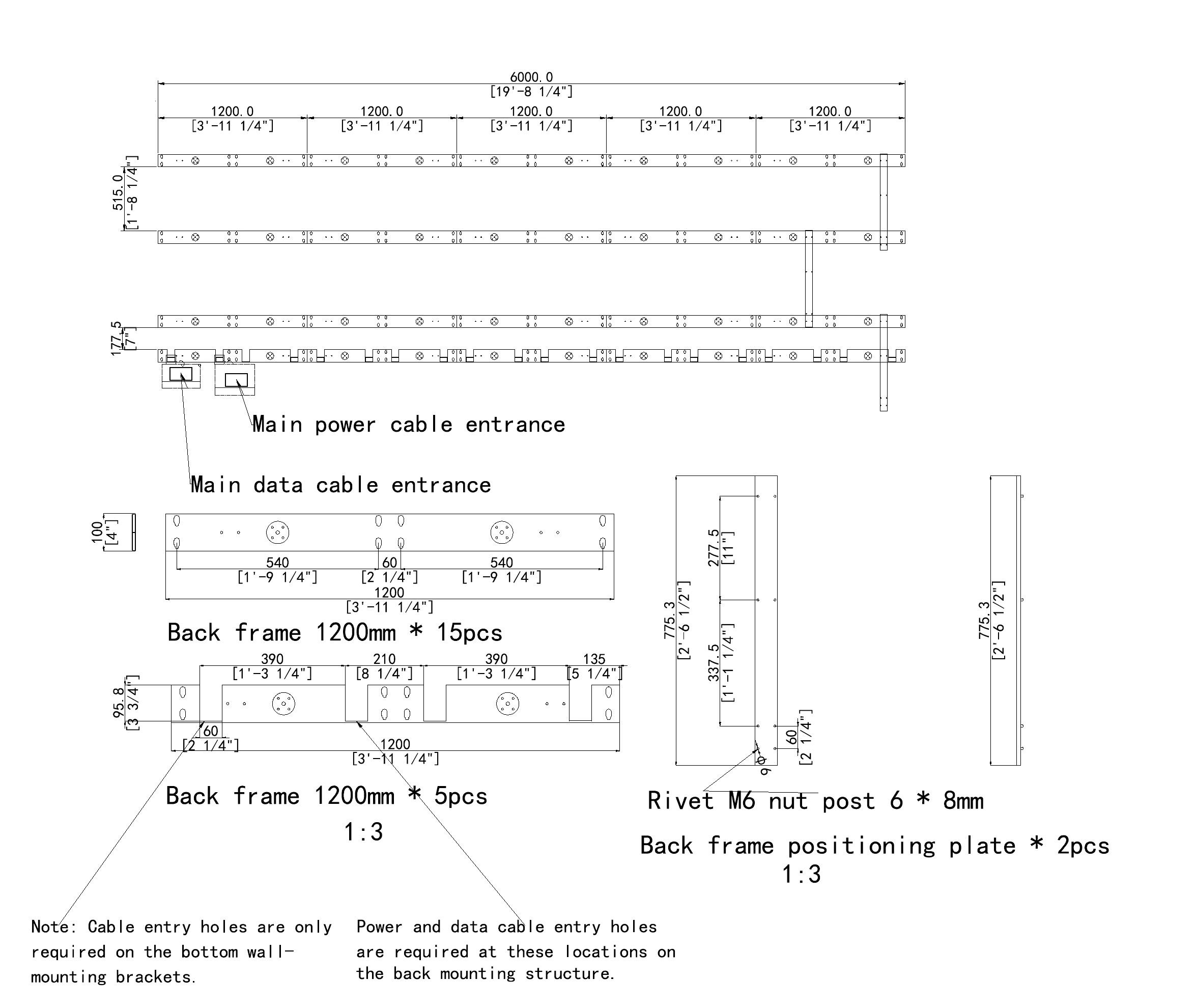
Prepare the mounting before the screen
The frame is part of the room design. Coordinate its fixing points, display position, cable routes and maintenance access with the installation team.
Consulte el soporte técnico.Four checks before you choose a screen.
Calculadora LED-
Content before diagonal size
Use the slide, spreadsheet or drawing your team actually presents. Review small labels and split-screen layouts at the intended scale.
-
Check the first and last seats
Near viewers influence pixel-pitch selection. Far viewers need readable text and an unobstructed view. Screen height and seating affect both.
-
Match the room lighting
Review daylight, reflections and the brightness used in meetings. If cameras will see the screen, test the proposed content and camera settings together.
-
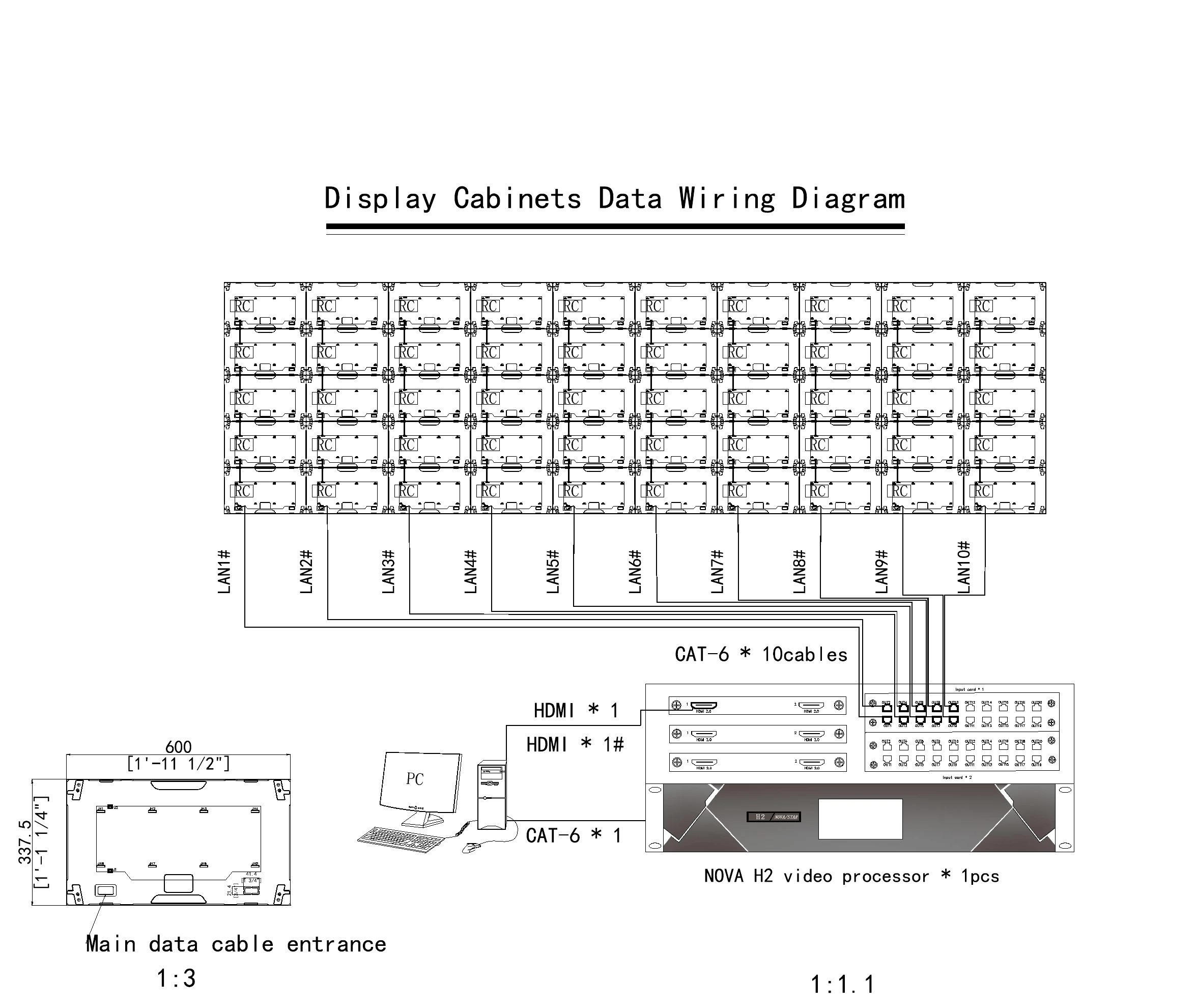
Mapea la ruta completa de la señal
Identify the meeting host, source resolution, switching, processor and cable route. Agree the display connection alongside audio, cameras and room control.
Proporcione a su equipo de instalación un punto de partida claro.
Para instalaciones fijas en interiores, proporcionamos planos del producto y del bastidor, diseño CAD del bastidor específico para cada proyecto, diagramas de cableado e instrucciones de instalación.
- Planos de instalación fija en interioresEl diseño y la asistencia técnica son gratuitos. Los marcos personalizados y los accesorios de montaje se acuerdan en la configuración del proyecto y en el presupuesto.
- Room-system coordinationShare the meeting host, camera positions, cable routes and required content layouts with your AV integrator. Agree the display connection before installation.
- Entrega específica del pedidoLos vídeos de prueba, los registros de inspección FAT, las fotos del embalaje y las fotos y listas de piezas de repuesto ayudan a su equipo a prepararse para la entrega.
Compare el alcance completo del proyecto.
- Configuración de la pantalla y procesamiento de imágenes
- Estructura, accesorios de montaje y trabajos de instalación.
- Conexiones de alimentación y señal, y rutas de cableado.
- Repuestos, embalaje y entrega
- Preparación del contenido y organización de la reproducción
¿Necesitas ayuda para elegir?
Conference room LED display questions.
Elegir tu pantalla
How large should a conference room LED display be?
Start with the farthest seat and the smallest information people need to read. A presentation with large headings needs a different review from a spreadsheet or an engineering drawing. Measure the available wall, seating positions and screen height, then test representative content at the proposed size. Display dimensions, total pixels and content scaling should be considered together before choosing a model.
Should we choose an All-in-One display or a modular LED wall?
Consider an All-in-One when a standard display size fits the room and you want an integrated display format. Consider a modular LED wall when the screen dimensions or content layout need a different cabinet arrangement. Compare the complete scope: display resolution, processing, mounting, service access and connection to the room system. Both routes still need a room and installation review.
Does a larger LED screen always have more resolution?
A larger screen does not automatically have more pixels. Resolution depends on the selected size and pixel pitch. For example, the DOIT VISION 135-inch P1.25 All-in-One configuration has 2400 × 1350 pixels, while its 108-inch P1.25 configuration has 1920 × 1080 pixels. Check the exact configuration, source output and text scaling rather than assuming that a screen size guarantees a particular resolution.
How do we choose pixel pitch for spreadsheets and drawings?
Review the nearest regular viewer, screen dimensions and the smallest detail in your actual content. A finer pitch provides more pixels within a given display area, but small text can still be hard to read from the back of the room. Evaluate the proposed pixel map, presentation scaling and seating together. Send a representative file or screenshot with your room sketch.
Instalación y su proyecto
Can the display connect to our existing video meeting system?
Plan the connection around the output of your meeting-room computer or conferencing device and the input configuration of the selected display or processor. Share the equipment models, intended resolution, cable route and any switching requirements. Camera, microphone, speaker and room-control arrangements are reviewed as part of the AV design. Confirm the complete signal path with your integrator before the display configuration is finalized.
What should we prepare for a wall-mounted installation?
Provide wall dimensions, site photos, the wall or supporting structure, and space for access and cable routes. For indoor fixed installations, DOIT VISION provides product drawings, back-frame drawings, project-specific back-frame CAD design, wiring diagrams and installation instructions. Drawing and design support is free; the physical frame and accessories are agreed in the configuration and quotation. Your installation team coordinates the site work.
What does front service mean for a meeting room?
Front service allows the specified display components to be accessed from the display face. The proposed installation still needs a review of removal space, safe access, frame construction and cable arrangements. Check the service procedure for the chosen product before closing the wall or placing furniture. Agree spare parts and handover documents so the facilities team understands how maintenance will be managed.
What information helps you prepare a recommendation and quote?
Start with your room type and email address, then add any project details you already know. Useful information includes wall size, nearest and farthest seating, typical content, existing AV equipment, destination and target date. The selected room setting is carried into this page’s enquiry. We can then discuss the display route, mounting, processing, spare parts and delivery scope with you.
Continue your room planning.
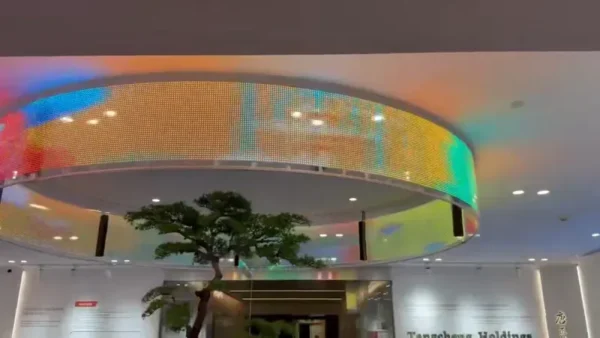
¿Qué es una pantalla LED P4? Aplicaciones para interiores y exteriores.
Una pantalla LED P4 tiene 4 mm entre los centros de píxeles adyacentes. Eso significa que hay 250 píxeles a lo largo de...
Leer caso de estudio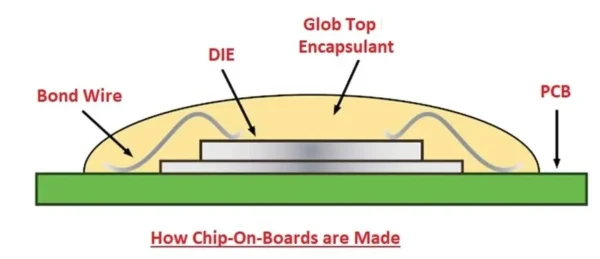
Tecnologías COB, Mini 4 en 1 y GOB para pantallas LED
La durabilidad, la calidad de imagen y la idoneidad para diferentes entornos son tres aspectos que preocupan a la hora de elegir una pantalla LED. COB,...
Leer caso de estudio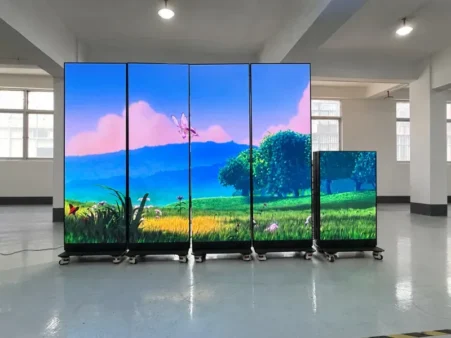
Pantalla LED plegable COB para póster: Precio y ventajas
Es posible que hayas visto carteles LED en centros comerciales, exposiciones o tiendas. ¿Qué es un...
Leer caso de estudio- Proveedor
- VISIÓN DOIT
- Aplicación
- Conference room LED displays; boardrooms and training rooms
- Rutas de productos
- All-in-One LED TV, COB Pro, COB Beta
- Aportes de planificación
- Room dimensions, seating, content samples, daylight, existing AV equipment and installation access
- Proyecto de apoyo
- Indoor fixed-installation drawing and design support; configuration-specific frame, wiring, installation and handover scope
- Contacto
- info@doitvision.com
- URL
- https://www.doitvision.com/solutions/led-display-for-conference-rooms/